Plotting with cards
Some books are easier to feel than to describe. Cards let you lay the plot out on a board: one card per thing that happens, in the order they’re read.
Open Mara, the plotting room, and pick Plot with cards. Your boards are listed in Mara’s menu under Cards plots, and New starts another.
Pick a structure
The picker offers three kinds of starting point:
- No structure: Freeform, an empty board where you write the shape yourself.
- Any story: general shapes, such as the three-act structure, the fifteen-beat sheet after Save the Cat!, or the Hero’s Journey.
- By genre: beat sheets for romance, mystery, thriller and fantasy.
If you’re not sure where to start, the genre shapes are the easiest to work with. You can also read our guide to picking the right plot shape.
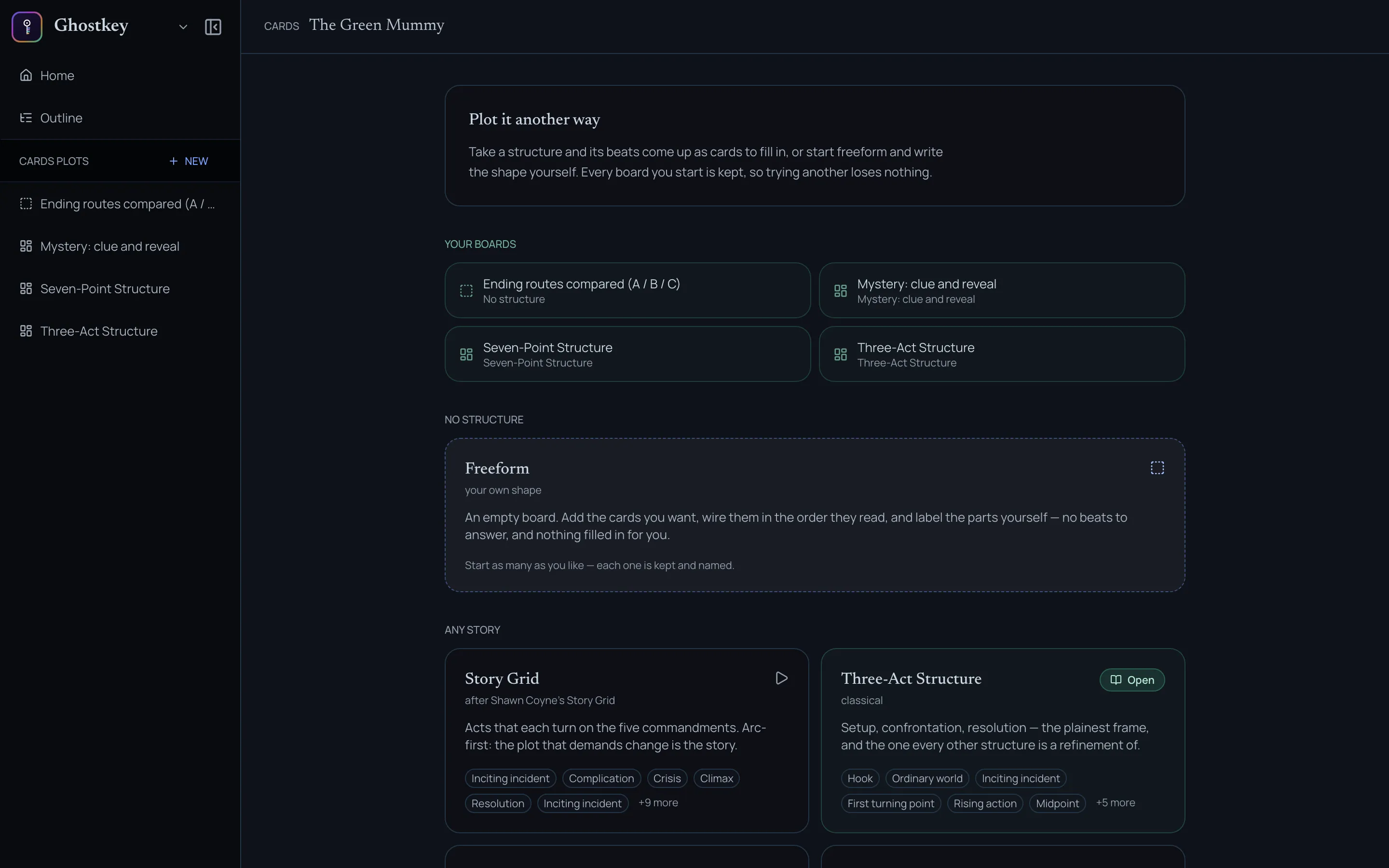
Every structure can be customized however you want. Rename the beats, add cards, delete the ones that don’t fit. The beats are a starting point, not a form to fill in. Every board you start is kept, so trying another structure loses nothing.
Replotting a book you’ve already written
If you’re replotting a book you’ve already written, we recommend picking the Three-Act Structure and clicking Fill from your book at the top right. Ghostkey reads your chapters and fills each beat with what happens there, which gives you your current plot as a starting point to rework. It asks before replacing anything already on the board.
Fill in the cards
Click a card to write in it: what happens, who’s there, what turns.
Start with a few cards and expand as needed. A handful of cards that say what matters will get you further than thirty half-filled ones. Add detail where the story asks for it.
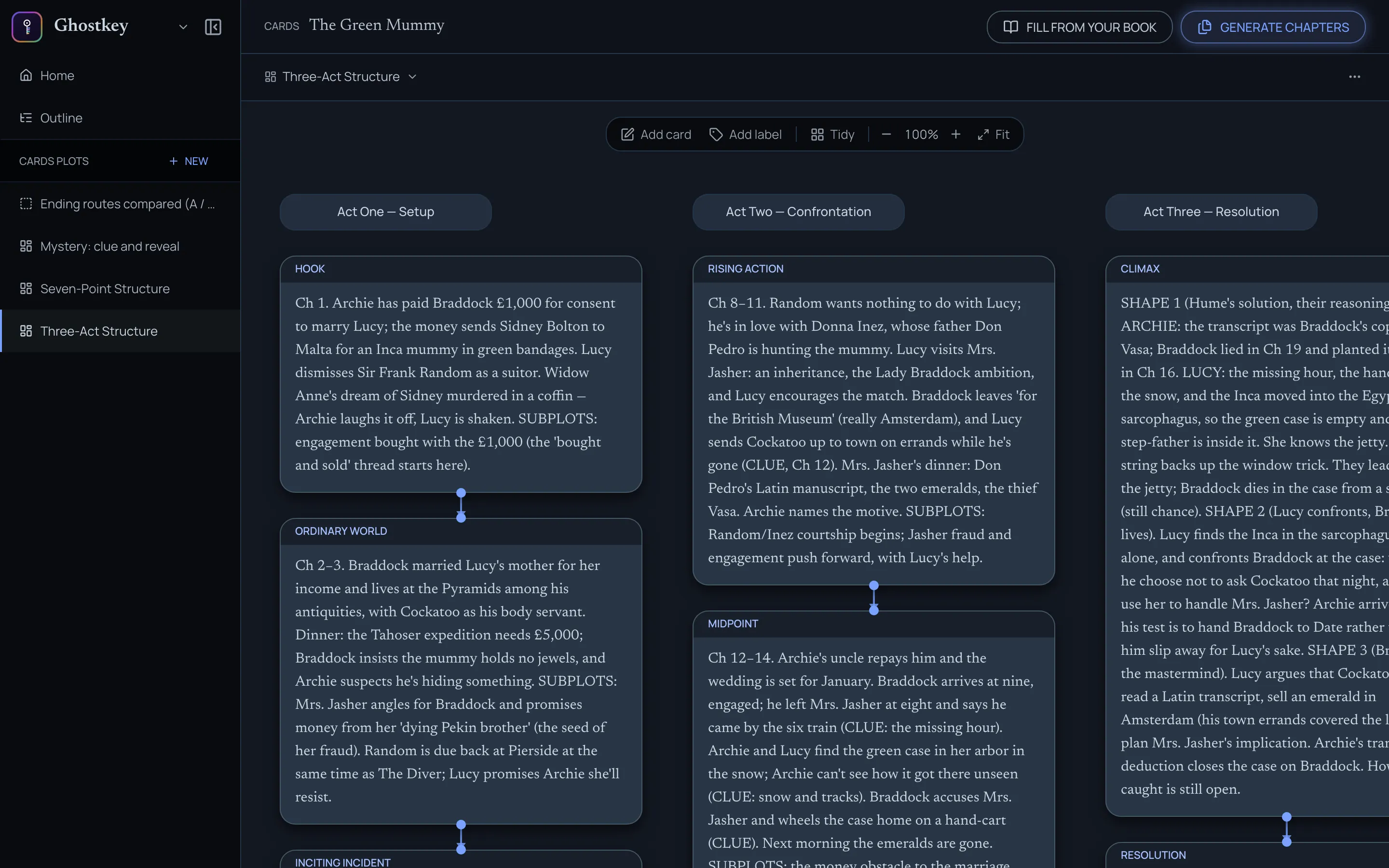
The tools float over the top of the board:
- Add card adds a card after the last one.
- Add label marks where a part of the book starts.
- Tidy puts the cards back in order, in columns from left to right.
- Zoom in and out, or Fit the whole board in view.
Link cards that are connected
Each card has two handles, one on its bottom edge and one on its right. Drag from a handle onto another card to link them. To unlink, pick the link up and drop it on empty board.
The board is read along its links: a linked card comes right after the card it hangs from, wherever you’ve placed it. Anything that isn’t linked is read column by column: left to right, and top to bottom within each column. A label starts a new run, and the cards after it belong to that part of the book.
Generate chapters
When the board is ready, click Generate chapters at the top right. It opens a chat that plans the chapters from your board. See The chapter plan.