Identify characters
Some writers like to define their characters before they write, and others prefer to discover them in the writing. This guide is for the second way: finding the characters already in your chapters. If you’d rather build one before you write, follow How to create a character.
Every character in your book can have a sheet in Veil, the world bible. A sheet holds a portrait, what they look like, their goal, motivation and conflict, a dossier of everything else, and the chapters they’re in.
If your book already has chapters, Ghostkey can read them and find your cast for you. A character who isn’t on the page yet, or one the scan missed, you add yourself: that’s covered in How to create a character.
Scan your world
Open Veil from your book. Before anything is filed, it’s one screen with three ways in. Analyze your world reads your manuscript for the people, places and terms in it.
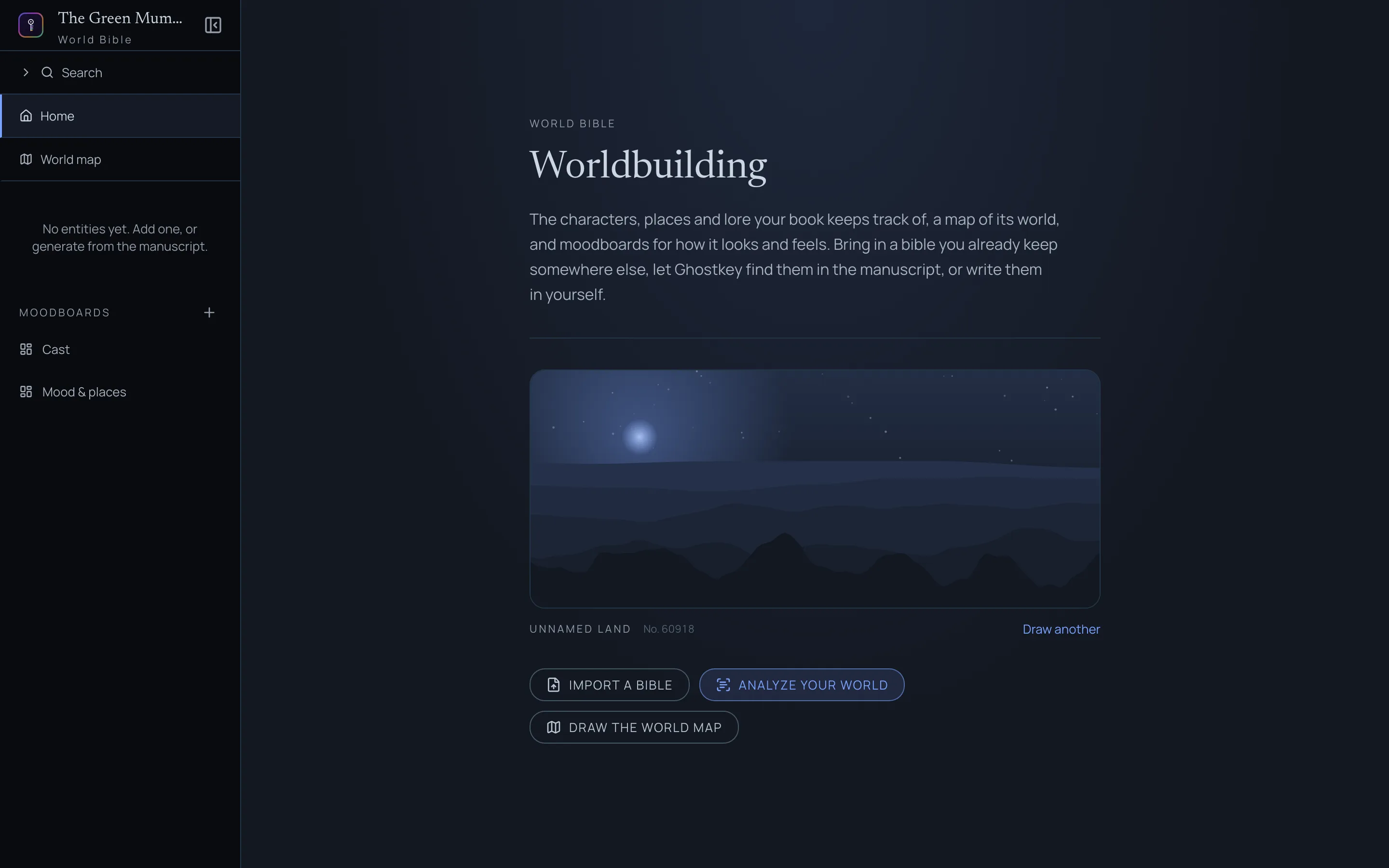
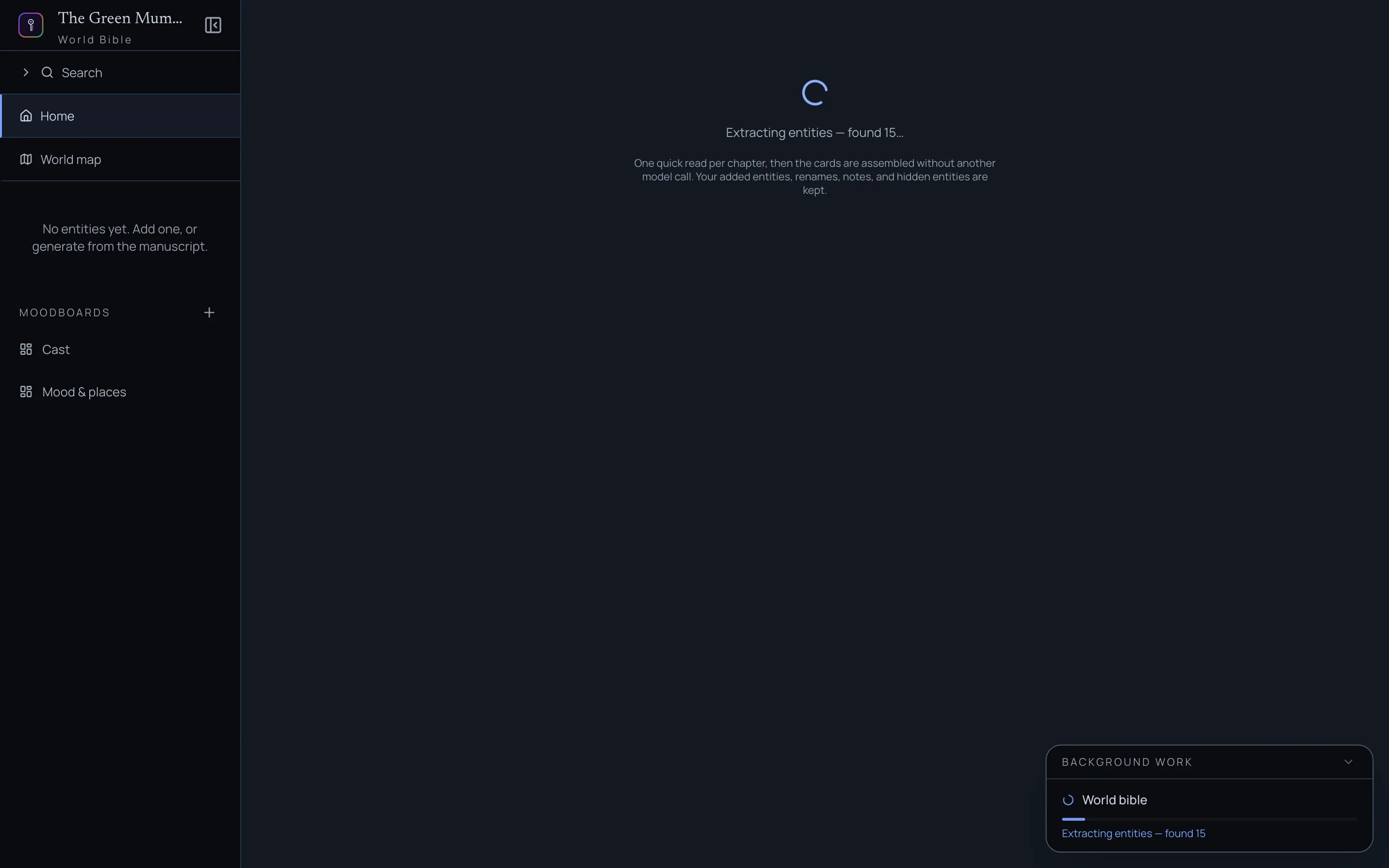
The scan reads your book chapter by chapter, then assembles the cards. You can watch the count go up, or go and write: it keeps running in the background, and the Background work card in the corner shows where it is.
When it’s done, Veil opens on The cast: a wall of portraits, most mentioned first. Places and terms are in the list on the left with everyone else, and the number beside each name is how many chapters it appears in.
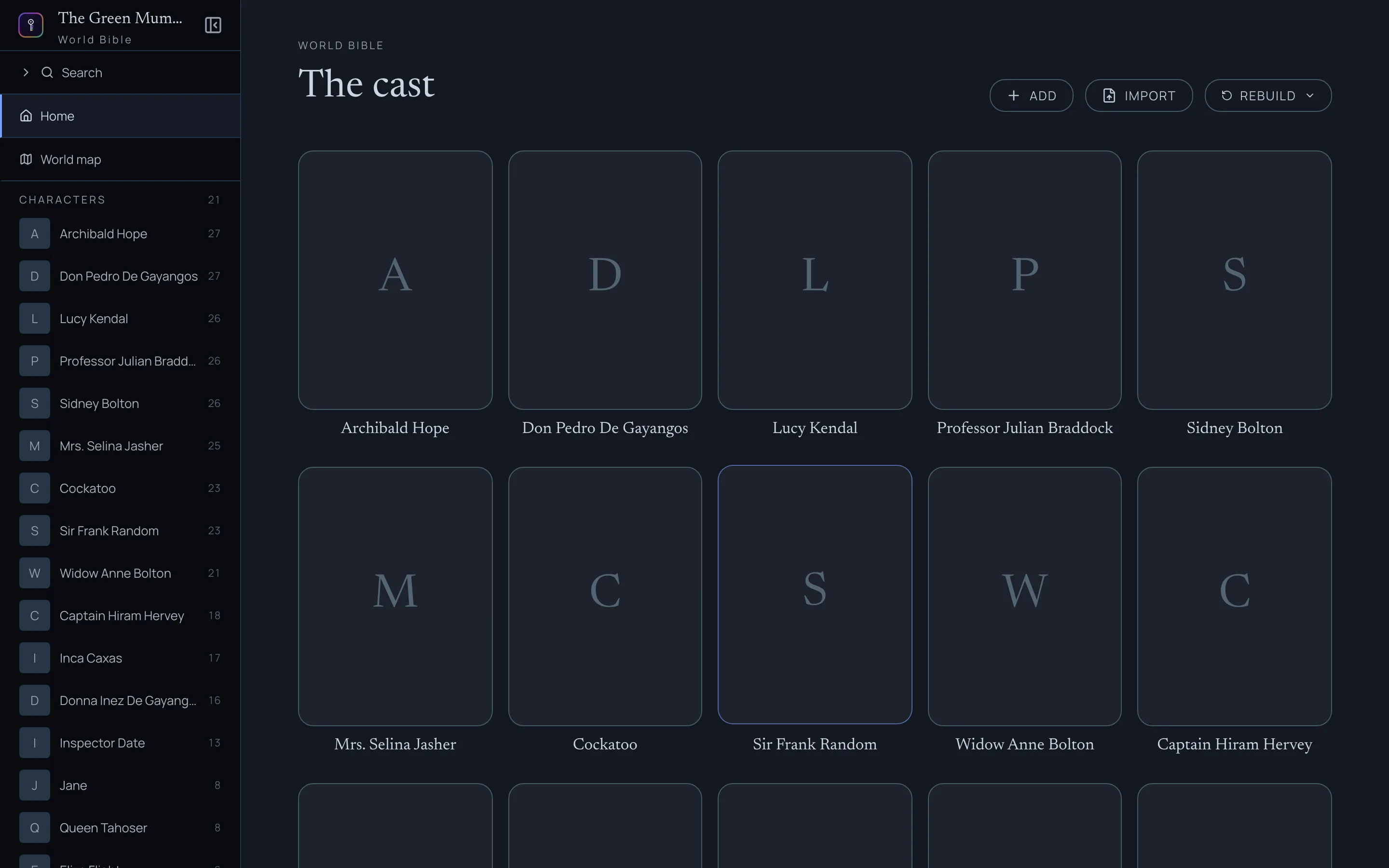
The scan only finds names. Who someone is gets written later, when you open their sheet (see Fill a sheet from the book below).
If you keep writing, Rebuild → Add missing checks the chapters you’ve changed since and adds anyone new. Chapters you haven’t touched aren’t read again. Rebuild → From scratch reads everything again.
If you already keep a bible somewhere else, in a Word file or a spreadsheet, Import a bible brings it in instead. It only ever adds, so you can import and scan in either order.
Fill a sheet from the book
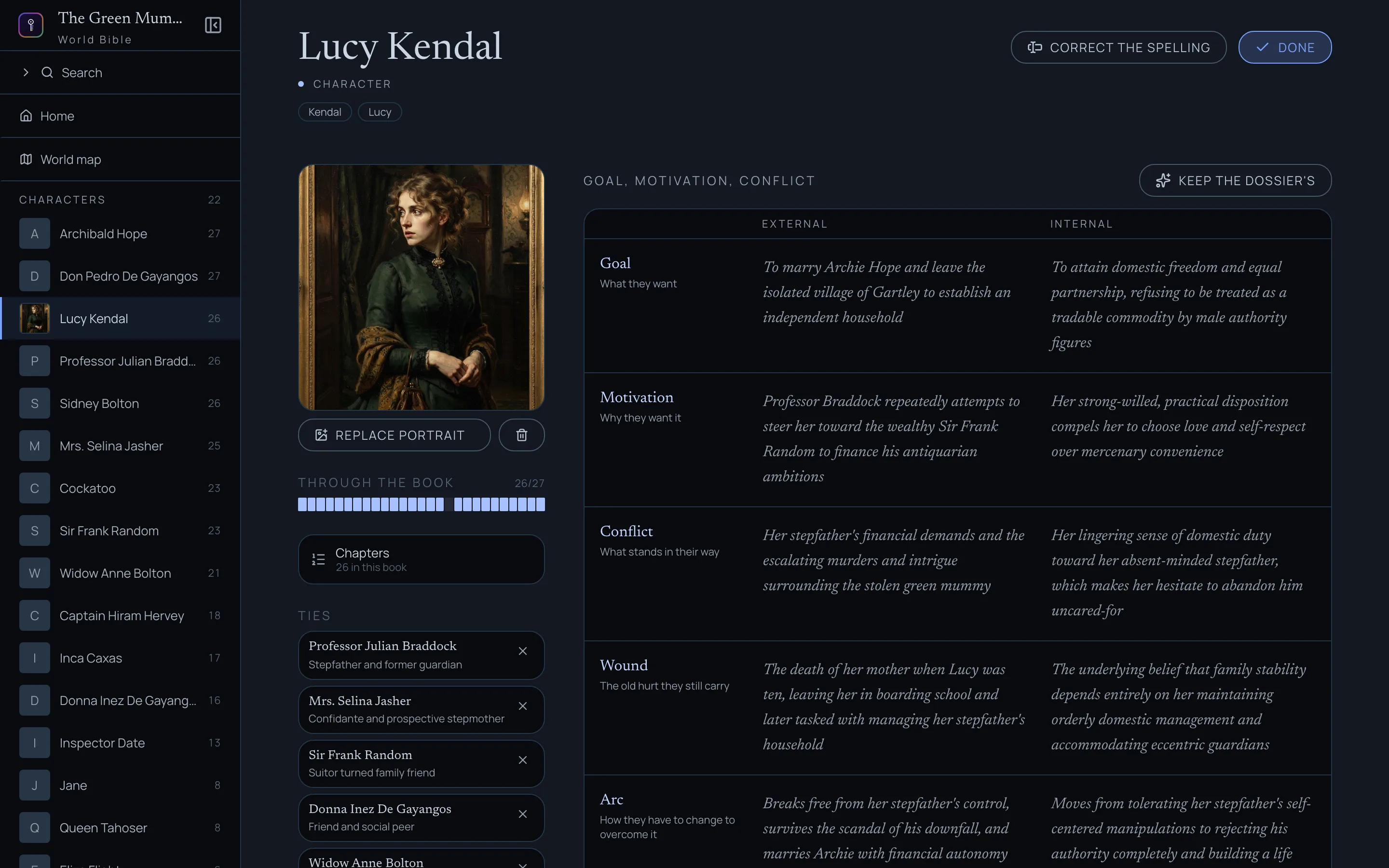
A character the scan found starts empty, but Ghostkey has something to read. Open their sheet and you get two buttons: Fill from the book and Create dossier.
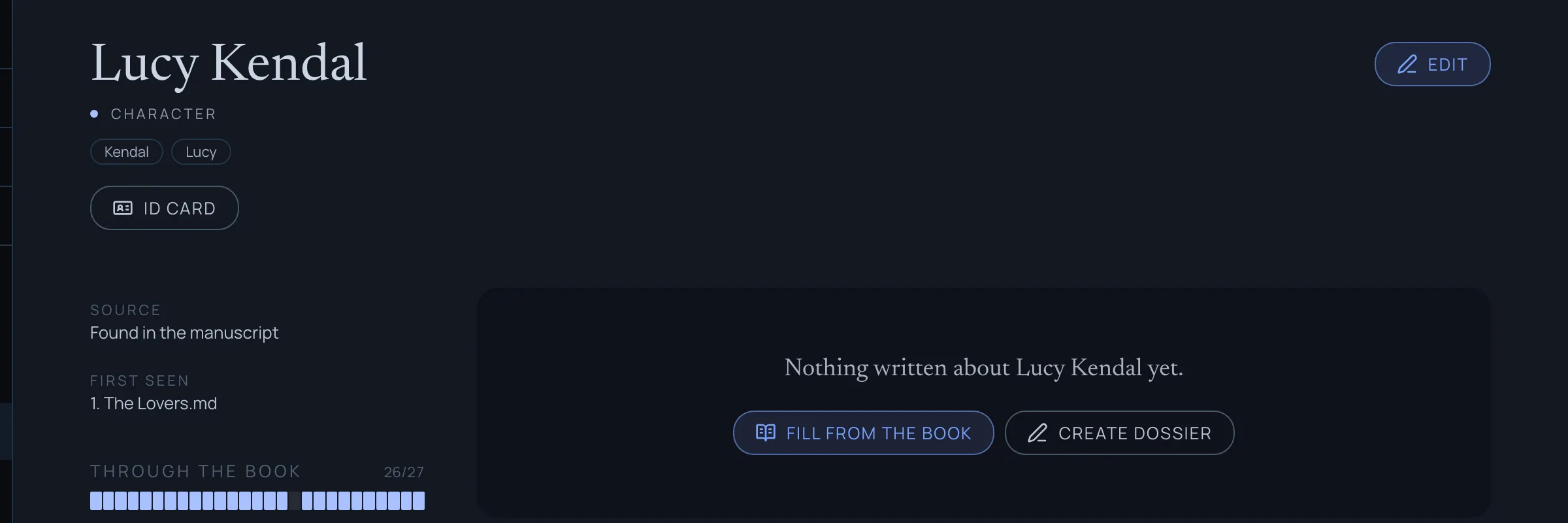
Fill from the book reads every chapter they’re in and writes their dossier, their physical description, and suggested answers for the goal, motivation and conflict. If the sheet has no picture yet, it draws one from that description. Create dossier opens edit mode so you can write it yourself.
The suggested answers are in italics. They’re the book’s reading of the character, not yours yet. Write over any of them to make it yours, or click Keep the dossier’s to take them all. Once an answer is yours, a later fill won’t change it.
Add a photo
If Fill from the book didn’t draw one, or you’d rather choose your own, open the sheet and click Edit at the top right. The square on the left is the portrait. Drop an image file onto it, or click Add portrait to open your media library.
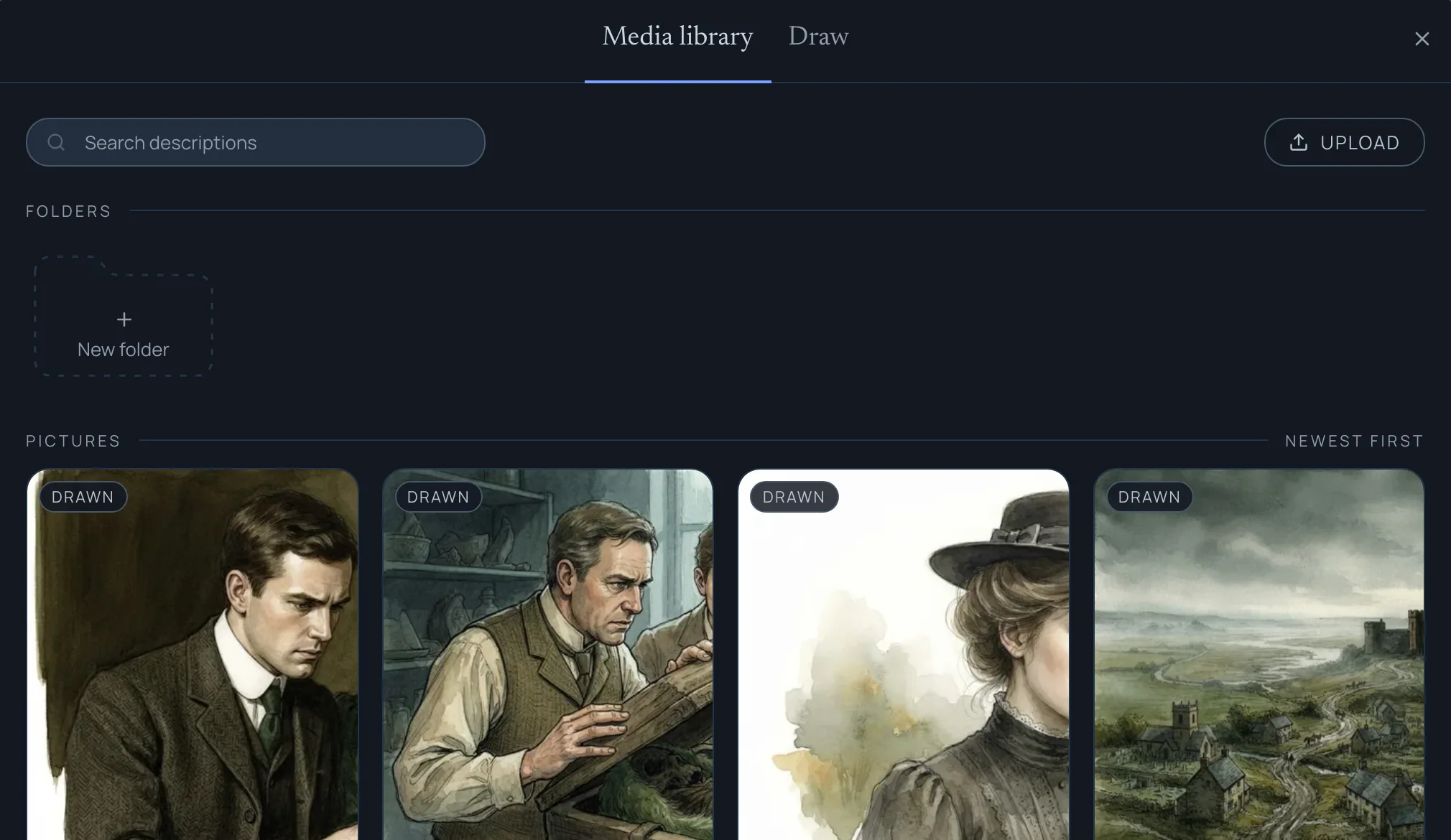
The library has two tabs. Media library shows every picture you already have in this series. Click one to use it. Upload brings in a photo from your computer.
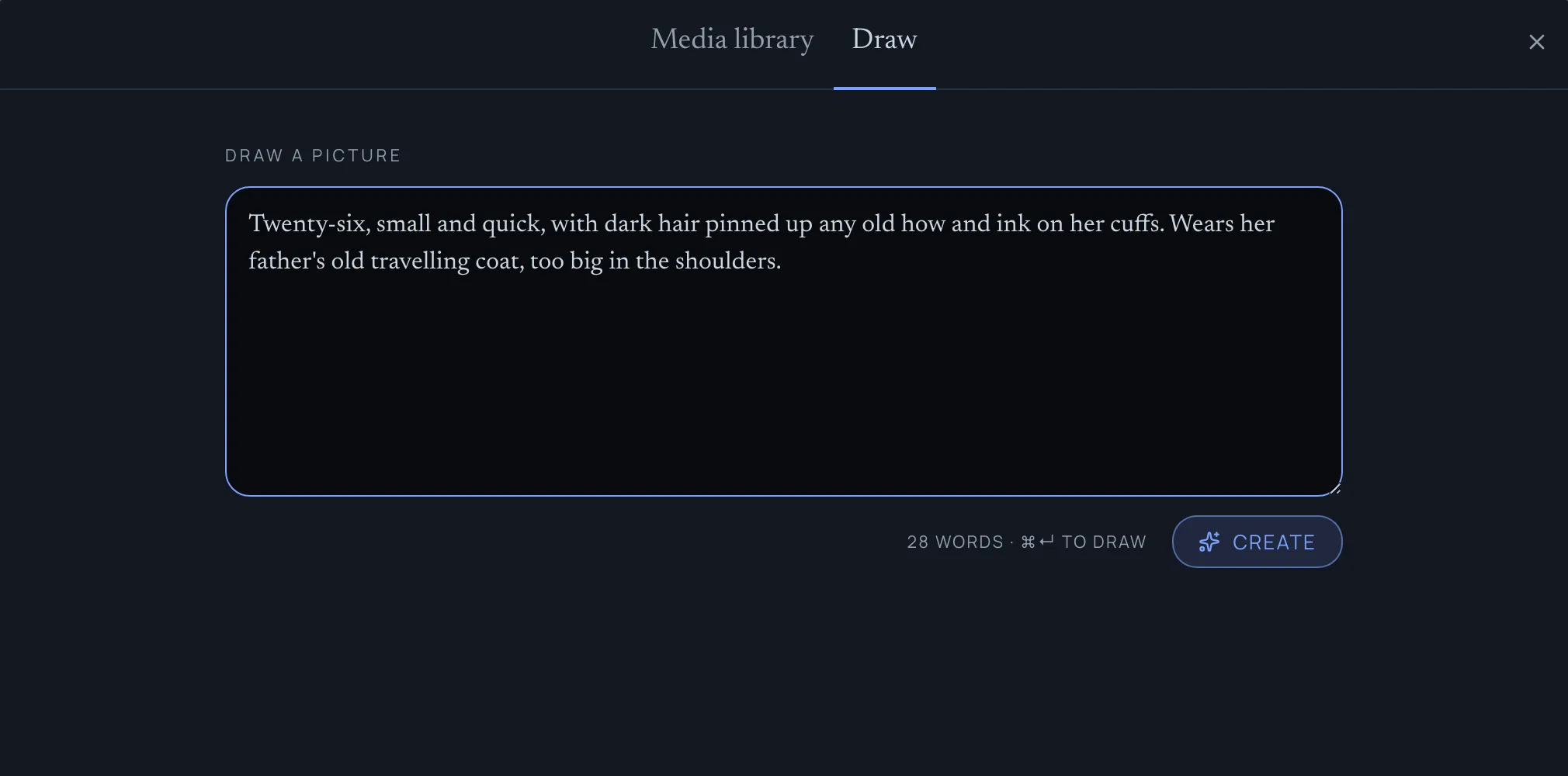
Draw makes a new one. If you’ve written a physical description, it’s already in the box. Change it however you like, then click Create. The picture lands on the sheet when it’s done.
It works the other way round too. With a portrait on the sheet, Describe from portrait writes the physical description from the picture. That’s useful when you found a face first and haven’t put it into words yet.
Portraits belong to the series, not the book, so a character keeps the same face in book two.
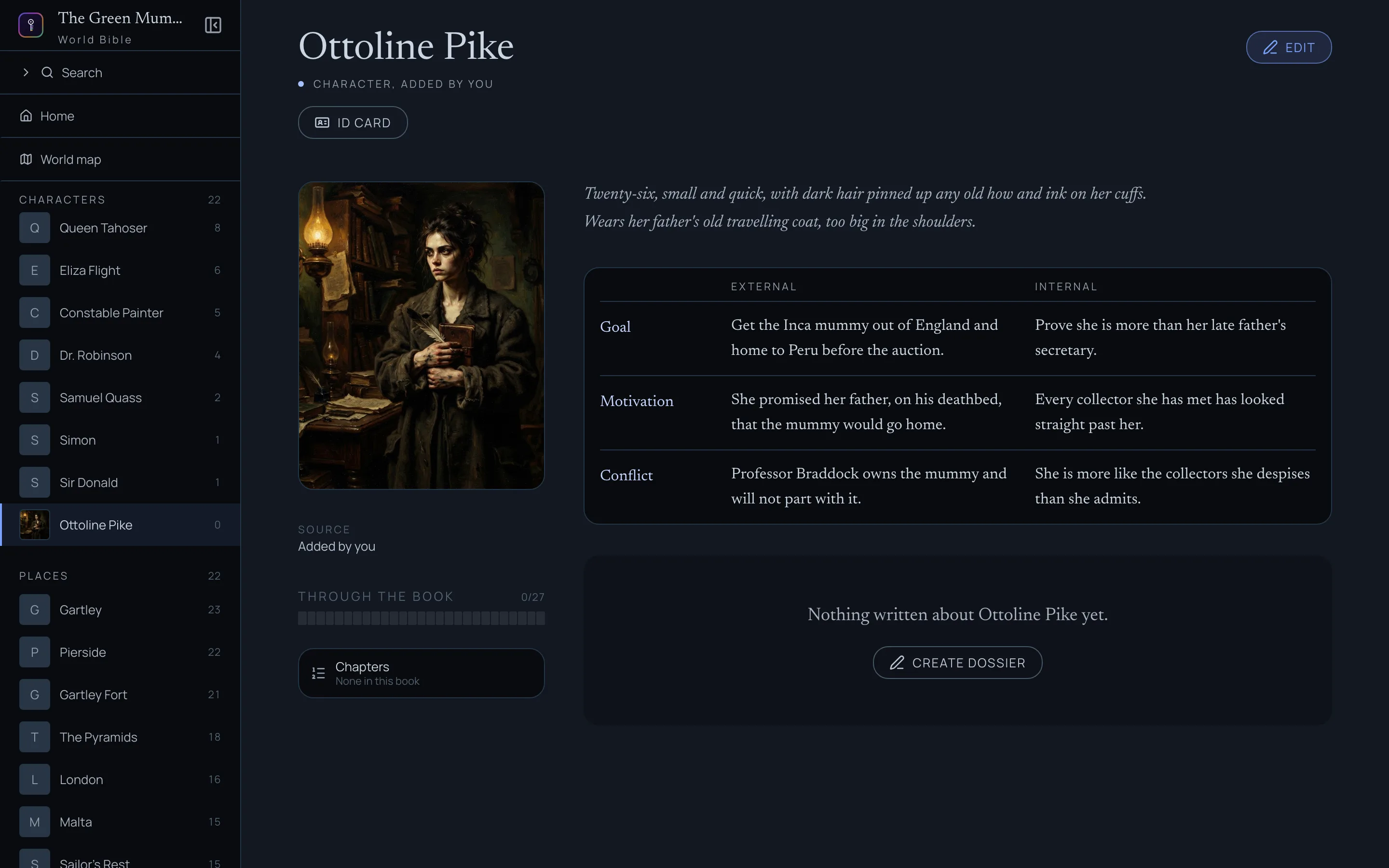
Here’s the finished sheet, back in reading mode:
The GMC in Apparition
GMC stands for goal, motivation, conflict: what a character wants, why they want it, and what stands in the way. It’s a tool for keeping scenes pointed. A scene usually works when someone in it wants something and can’t simply have it.
The grid in Veil is the character across the whole book. When you’re writing a chapter, you usually need something narrower: where they stand right now. That’s what Apparition gives you.
Open a chapter in Apparition. In the panel on the right, In this chapter lists everyone who appears in it. Click a character to open their card, then click Find their GMC.
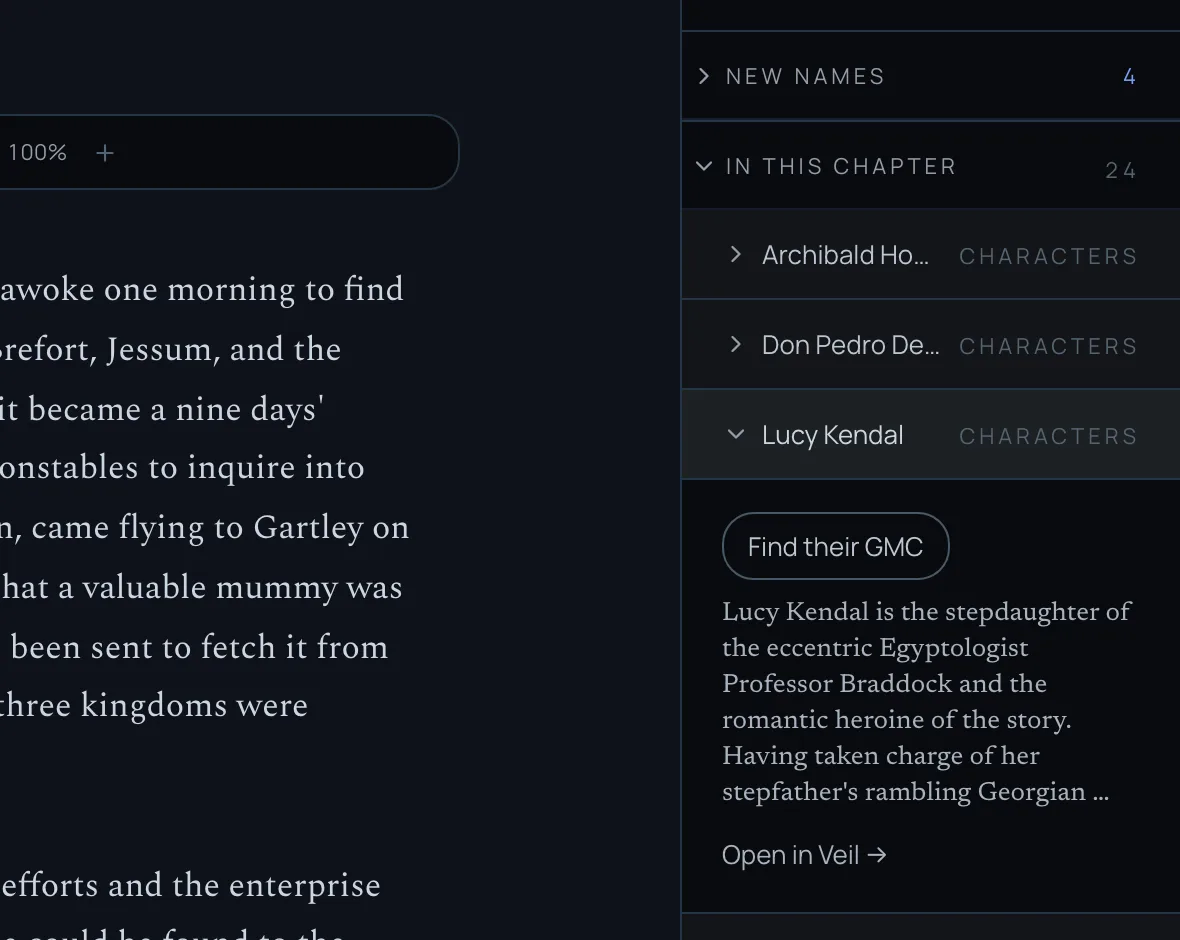
Ghostkey reads your story outline from the first chapter up to this one, and nothing after it, so it can’t give away what you haven’t written yet. You get the goal, motivation and conflict as they are at this point in the book, each once for the world and once for their inner life.
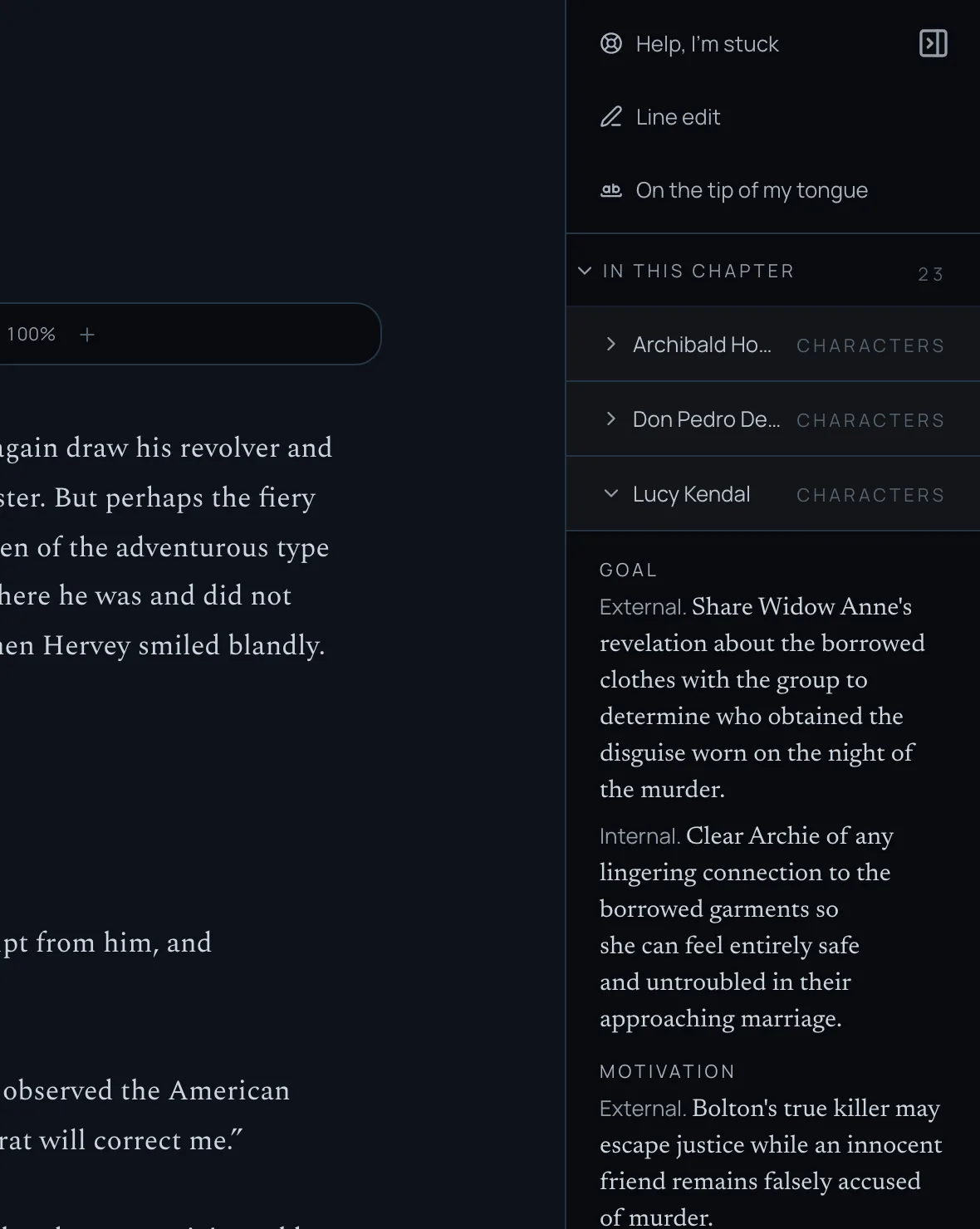
The same character reads differently in chapter 1 and chapter 20, and that’s the point. Some ways to use it:
- Before you write a scene. Check what the point-of-view character wants right now, so the scene pushes towards it or gets in its way.
- Coming back after a break. It’s a quick reminder of where everyone stood when you stopped.
- When a character feels flat. If the goal or the conflict comes back vague, the chapters so far may not have given them one yet. That’s worth knowing before a reader notices.
- After a revision. If you’ve moved chapters around, read it again and see whether their arc still builds.
The answer is kept, so opening the card again shows it straight away. If your outline has changed since, the card says so and offers Read it again. It doesn’t count against your weekly credits.
If there’s no story outline up to this chapter yet, the card says so. The outline is built the first time Ghostkey reads your whole book. Scanning your world in Veil does it, and so do Wisp’s reports.
Open in Veil → at the bottom of every card takes you to the full sheet.
A sheet doesn’t have to be finished to be useful. A name is enough to keep it spelled the same way in dictation and in the scanned pages you write by hand. Add the rest as you get to know them.